
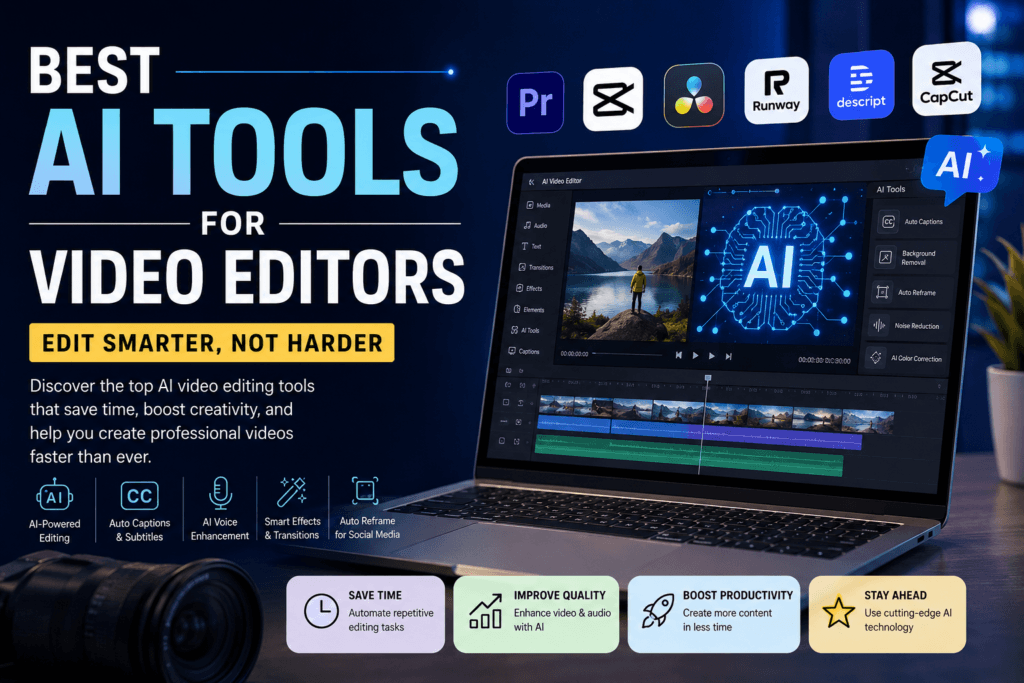
Video editing has evolved rapidly with the rise of artificial intelligence. Today, AI-powered video editing tools help creators edit faster, improve quality, automate repetitive tasks, and create professional content without spending endless hours behind the screen. Whether we are creating YouTube videos, Instagram Reels, cinematic films, marketing videos, or online courses, AI tools have transformed the entire editing workflow.
The demand for AI video editing software is growing among content creators, businesses, YouTubers, freelancers, and digital marketers. With intelligent automation, voice enhancement, motion tracking, auto captions, background removal, and advanced effects, AI tools are now becoming essential for modern video production.
In this article, we explore the best AI tools for video editors in 2026 that help creators produce high-quality videos efficiently and professionally.
Why AI Tools for Video Editors important
Artificial intelligence reduces manual editing work and improves production speed. Modern AI editing software can automatically analyze scenes, remove noise, create subtitles, generate voiceovers, enhance audio quality, and even edit videos based on scripts.
The biggest advantages of AI Tools for Video Editors include:
- Faster editing workflow
- Automatic subtitle generation
- AI-powered transitions and effects
- Voice enhancement and noise removal
- Smart scene detection
- Auto reframing for social media
- AI voice generation
- Background removal without green screen
- Professional-quality output with less effort
For content creators and marketers, these tools save both time and money while improving overall video quality.
Best AI Video Editing Tools for Professionals
Adobe Premiere Pro – Best AI Video Editing Software
Adobe Premiere Pro remains one of the most powerful AI tools for video editors available today. Adobe has integrated advanced AI features through Adobe Sensei, allowing editors to automate complex editing tasks.
Top AI Features
- Auto reframing for vertical videos
- AI scene edit detection
- Speech-to-text captions
- AI audio cleanup
- Object tracking
- Color correction assistance
Premiere Pro is ideal for YouTubers, filmmakers, agencies, and professional video editors who require complete creative control along with intelligent automation.
Best For
- Professional video editing
- YouTube content creation
- Commercial video production
- Cinematic editing
DaVinci Resolve – AI Tool for Color Grading and Editing
DaVinci Resolve is widely known for its advanced color grading capabilities, but its AI-powered features have made it one of the best editing platforms and AI Tools for Video Editors .
AI Features
- Facial recognition
- Smart object removal
- Magic mask tracking
- AI speed warp
- Automatic audio enhancement
The software combines video editing, visual effects, color correction, and audio post-production in one platform.
Best For
- Cinematic video editors
- Film production
- Professional color grading
- High-end content creation
Runway ML – Best AI Tool for Creative Video Editing
Runway ML has become one of the most popular AI Tools for Video Editors. It allows editors to generate and modify videos using artificial intelligence.
Key Features
- AI video generation
- Background removal
- Motion tracking
- Text-to-video generation
- AI object replacement
- Green screen removal without chroma
Runway ML is widely used by creators who produce short-form content, advertisements, and social media videos.
Best For
- Creative video projects
- AI-generated content
- Reels and Shorts editing
- Experimental video production
Descript – Best AI Tool for Audio and Podcast Editing
Descript simplifies video editing by allowing creators to edit videos like editing a text document. It is one of the best AI tools for podcasters, YouTubers, and educators.
AI Features
- AI voice cloning
- Automatic transcription
- Filler word removal
- Studio-quality sound enhancement
- Text-based editing
Editors can simply delete words from the transcript, and the video automatically updates.
Best For
- Podcast editing
- Educational videos
- Interview editing
- Voice enhancement
CapCut – Best Free AI Video Editing Tool
CapCut has become extremely popular among Instagram Reels and TikTok creators because of its beginner-friendly interface and AI-powered editing tools.
Top Features
Auto captions
AI background removal
Trending effects
Auto beat sync
AI text-to-speech
One-click templates
CapCut is perfect for creators who want quick and engaging edits for social media platforms.
Best For
Short-form video editing
Reels creation
Beginner editors
Mobile video editing
Best AI Tools for YouTube Video Editing
YouTube creators require advanced editing features that improve engagement and watch time. AI tools help creators optimize their workflow and maintain consistency.
Top AI Tools for YouTube Creators
- Adobe Premiere Pro
- Descript
- Runway ML
- TubeBuddy
- VidIQ
These tools assist with editing, SEO optimization, thumbnails, subtitles, and audience engagement strategies.
AI Voice Tools for Video Editors
Voice quality plays an important role in video production. AI voice tools help Content creators generate the best and realistic voiceovers and improve the clarityof the audio.
Best AI Voice Tools
- ElevenLabs
- Realistic AI voice generation
- Multi-language voiceovers
- Professional narration
- Adobe Podcast AI
- Noise reduction
- Audio enhancement
- Voice clarity improvement
- Murf AI
- AI narration
- Commercial voiceovers
- Presentation voice generation
These tools are especially useful for YouTube automation channels, educational videos, and marketing content.
Best AI Tools for Automatic Captions and Subtitles
Captions improve video accessibility and increase engagement on social media platforms.
Top Caption Tools
- Descript
- CapCut
- VEED.io
- Subtitle Edit
- Adobe Premiere Pro
Automatic subtitle generation helps creators save time while improving viewer retention rates.
How AI Improves Video Editing Productivity
AI-powered editing tools significantly reduce production time. Instead of spending hours manually cutting clips or adjusting audio, by using effective AI Tools for video editors, editors can now automate repetitive tasks.
Major Productivity Benefits
- Faster rendering
- Smart editing suggestions
- AI-powered templates
- Automated effects
- Improved workflow management
This allows creators to focus more on storytelling and creativity rather than technical editing processes.
Best AI Video Editing Tools for Beginners
Beginners often struggle with complex editing interfaces. AI-powered tools simplify the learning curve.
Recommended Tools for Beginners
CapCut : Easy mobile editing with templates.
Canva Video Editor : Simple drag-and-drop interface with AI features.
Filmora : AI effects and beginner-friendly editing tools.
InVideo: An online AI video creation platform.
These platforms help beginners create professional-looking videos without advanced editing skills.
Future of AI in Video Editing
Artificial intelligence will continue transforming video production in the coming years. Future AI tools will likely include:
- Full AI video generation
- Real-time editing assistance
- Automated storytelling
- AI cinematic effects
- Hyper-realistic AI avatars
- Smart audience engagement analysis
As AI technology advances, video editing will become faster, smarter, and more accessible to creators worldwide.
How to Choose the Best AI Video Editing Tool
Selecting the right tool depends on editing goals, skill level, and content type.
Choose Adobe Premiere Pro if:
- We need professional-level editing.
- We work on commercial projects.
- We require advanced control.
Choose CapCut if:
- We create Instagram Reels or Shorts.
- We want quick edits.
- We are beginners.
Choose Runway ML if:
- We want AI-generated visuals.
- We create creative content.
- We need advanced AI effects.
Choose Descript if:
- We edit podcasts or interviews.
- We prioritize audio editing.
- We need transcription features.
Conclusion
AI tools have completely changed the way modern video editing works. From automatic captions and AI voiceovers to smart editing automation and cinematic enhancements, these platforms help creators produce high-quality content efficiently
Whether we are professional editors, YouTubers, freelancers, marketers, or beginners, using the best AI video editing tools can dramatically improve workflow, creativity, and productivity.
As video content continues dominating digital platforms, investing in AI-powered editing software is becoming essential for staying competitive in the content creation industry.
The future of video editing belongs to creators who combine creativity with artificial intelligence to produce faster, smarter, and more engaging content.
Frequently Asked Questions
Which is the best AI video editing tool?
Adobe Premiere Pro and DaVinci Resolve are considered among the best AI video editing tools for professionals.
What is the best free AI video editor?
CapCut is one of the best free AI video editing apps for beginners and social media creators.
Can AI edit videos automatically?
Yes, many AI tools can automatically cut clips, generate captions, remove backgrounds, and improve audio quality.
Which AI tool is best for YouTube creators?
Adobe Premiere Pro, Descript, and Runway ML are highly recommended for YouTube content creators.
Are AI video editing tools worth it?
Yes, AI tools save time, improve editing quality, automate repetitive tasks, and increase productivity.
Digitalents Academy—Learn Digital Marketing, Video Editing, Graphic Design, and Creative Skills for Future Career Growth.